YNAB
- 4.6
- Rating
- 1.00M
- Installs
- Free
- Price

 Analysis by App-foxy
Money apps often promise to make budgeting feel effortless, but the real test comes when a bill arrives earlier than expected or a purchase does not fit the plan. I found YNAB more useful when I treated it as a decision-making tool rather than a place to stare at charts. Its central habit is simple: give the money you already have a job before you spend it. That makes the app feel different from a basic expense tracker, because it asks me to plan actively instead of merely recording what happened.
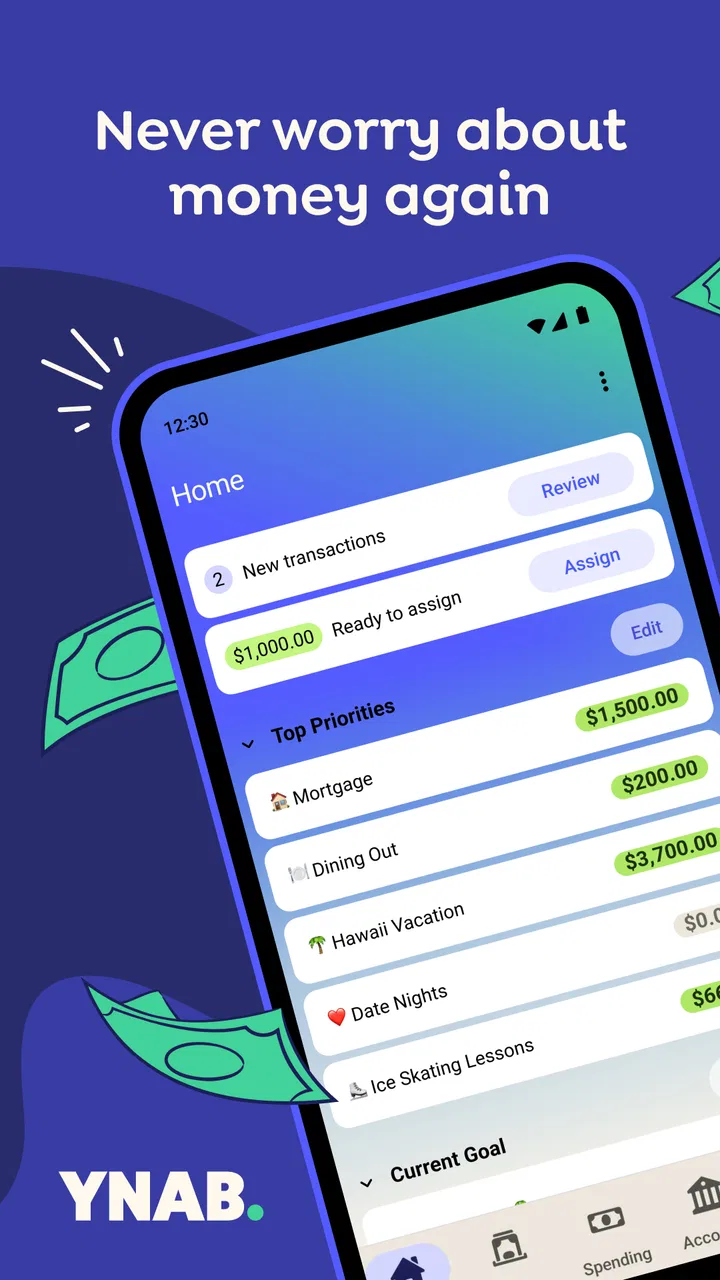
YNAB is a finance app from ynab.com, available free to download with optional in-app purchases ranging from $14.99 to $109.00 per item. It is rated for Everyone, runs on operating system 11 or later, and the current version is 26.6.1. The app has built a substantial audience, with over 1 million installs, an average rating of 4.5 from around 24 thousand ratings, and about 4.6 thousand written reviews. Those figures suggest that its approach works for many people, although the method still requires more involvement than a passive banking dashboard.
What to Expect When You Start
The first thing I would tell a new user is not to expect YNAB to magically organize a messy financial life after one tap. It works best when I make a few deliberate choices at the beginning. The app encourages me to look at the money currently available and decide what each portion needs to do before the next income arrives. That could mean covering groceries, setting aside money for rent, preparing for an annual payment, or leaving a cushion for an unpredictable week.
You May Also Like

 Blood Strike: 2.5 Anniversary
Blood Strike’s Loadouts Turn Every Drop Into a Tactical Gamble
A close look at Blood Strike’s custom loadouts: how fast access to signature weapons reshapes its battle royale rhythm, rewards preparation, and narrows the gap between fights.

 Pandora - Music & Podcasts
Pandora’s Music Is Easy to Start, but Harder to Recover
Pandora’s strength is its low-effort path from a seed to a station. Its weak spot is how much confidence it asks you to place in connection, setup, and quiet recovery.

 8 Ball Pool
 Is Built on Rivalries, Rematches, and Routine
A close look at the rivalries, rematches, shared routines, and unanswered safety questions that turn a quick pool match into a persistent mobile community.

 Samsung Music
’s Quiet Strength Is Playing What You Already Own
Its reach comes less from spectacle than from dependable access to a personal library. That simplicity is both the app’s strongest retention engine and its ceiling.

 AccuWeather: Weather Radar
AccuWeather Review: A Quick, Clear Forecast for Everyday Decisions
For everyday plans, the best forecast is the one you can understand quickly. AccuWeather makes rain timing, radar, and local conditions easy to act on, with a few trade-offs.

 Hill Climb Racing
Why Hill Climb Racing Still Turns Crashes Into One More Run
A tiny car, a bumpy hill and one more upgrade: Hill Climb Racing keeps resurfacing because its simple chaos makes every near-miss feel personal.
More From Our News Desk



This is a different experience from a conventional banking app. A bank app usually shows balances and transactions, while a spending tracker may group purchases into categories after the fact. YNAB puts the plan first. The useful question is not simply “Where did my money go?” but “What should this money do now?” That change in wording is small, yet it affects how I react to a tempting purchase or an unexpectedly high bill.
For a first-time user, the interface can initially feel more demanding than a simple list of expenses. That is not necessarily a flaw. The extra attention is what makes the system practical, but it also means I need to participate. If I want an app that silently observes my spending and produces a quick monthly report, a lighter expense tracker may suit me better.
I found the strongest results came from keeping the first plan realistic. It is tempting to create a long list of perfect targets, including every future ambition and occasional expense. That can make the opening session feel like administrative work. A better starting point is to focus on the obligations and spending decisions that matter during the next few weeks. Once those categories make sense, I can expand the plan without losing track of what is immediately important.
Who benefits most from this approach
YNAB is particularly appealing if I regularly wonder why a decent income disappears before the month ends, or if irregular expenses keep surprising me. It is also useful for people who share household decisions, because a common plan can make conversations about bills, groceries, savings, and discretionary spending more concrete. Someone with variable income may appreciate the emphasis on assigning available money rather than assuming every month will look identical.
It can also help a person who is trying to change a specific habit. Instead of vaguely deciding to spend less on takeout, I can create a clear amount for that kind of spending and see the consequence when the category is nearly empty. The app does not make the decision for me; it makes the trade-off visible early enough for me to choose.
On the other hand, I would not recommend it to someone who dislikes maintaining a budget or who expects automatic categorization to do all the work. It may also be excessive for a person whose financial needs are limited to checking a bank balance and reviewing a few monthly transactions. YNAB becomes more valuable as the plan solves a real problem, not because every user needs a detailed budgeting system.
Setting Up a Useful First Plan
My advice is to begin with the money that is actually available, not an optimistic estimate of what might arrive later. Then I would name categories according to real decisions rather than vague labels. “Food” may be too broad if groceries and restaurant meals compete with each other. Separating them can show where flexibility exists, but creating too many tiny categories can make the plan tiring to maintain. The right level is the one that helps me decide without turning every purchase into a filing exercise.
I would next list the predictable commitments that can cause the most stress. Housing, utilities, transport, groceries, insurance, and debt payments are obvious examples, but the more useful categories are often the less frequent ones. A yearly renewal, school expense, gift season, or vehicle repair can feel like an emergency when it has no place in the plan. Giving those costs a category turns them from surprises into gradual preparations.
One of the less obvious strengths of the method is that it encourages me to think about timing, not just totals. Two people can earn and spend the same amount while having very different levels of stress because their bills arrive at different moments. If I know a large payment is approaching, I can give available money that job before allocating the rest to flexible spending. This is more practical than looking only at an end-of-month summary.
I would avoid trying to make every category fully funded immediately. A first plan should help me make the next sensible choice, not prove that I have perfect control over the entire year. If the available money cannot cover every goal, that is useful information. I can then rank priorities instead of hiding the shortfall behind unrealistic numbers.
A realistic first-week example
Imagine I receive income shortly before the start of a busy week. I assign enough for the bills that must be protected, reserve money for groceries and transport, and leave a modest amount for personal spending. A few days later, I buy an unplanned household item. Rather than treating the purchase as a failure, I look at the categories and move money from a less urgent plan to cover it. The important action is not the original mistake; it is correcting the plan while the information is still useful.
That adjustment is where YNAB feels more practical than a static spreadsheet. A spreadsheet can certainly record the same numbers, but it usually requires me to decide how to represent every change. Here, the budgeting conversation is built around what the money can still do. I am not forced to defend the original plan when circumstances change.
For couples or families, I would agree on category names and responsibilities before entering too much detail. Confusion often comes from different assumptions rather than from the app itself. One person may view a category as a strict limit, while another sees it as a rough suggestion. Deciding that meaning together makes the plan much easier to use.
The First Meaningful Success
The first success is not creating a beautiful budget. It is opening the app before spending and knowing whether the purchase fits the current plan. I experienced the most value when I used the budget to answer a small, immediate question: can I afford this without weakening something more important? That answer is more actionable than a colorful report at the end of the month.
A good first exercise is to choose one ordinary category and give it a clear purpose. Groceries work well because the need is regular and visible. After assigning money, I can make a normal purchase, record it accurately, and then check what remains. If the amount is lower than expected, I have an early signal to adjust my behavior or move money from another category. The app becomes useful through this short feedback loop.
Another valuable habit is correcting the plan without shame. If I spend more in one area, I can decide what should receive less attention elsewhere. That trade-off is the heart of the system. It prevents the common budgeting illusion in which every category looks acceptable on paper while the bank balance quietly falls.
I also recommend reviewing the plan after a few days rather than waiting for a monthly ritual. A short check-in can reveal that a category is too broad, a target is unrealistic, or an upcoming obligation was forgotten. These small revisions are easier than rebuilding everything after several weeks of unrecorded decisions.
Why the first adjustment matters
Many new budgeters think success means never changing a category. In my experience, that expectation makes budgeting brittle. YNAB is more forgiving when I treat the plan as a current set of priorities. Moving money is not automatically a problem; moving it without noticing the consequence is the problem. The app gives that consequence a visible place.
This is also where it compares favorably with a basic spending tracker. A tracker may tell me that I spent more than usual on dining, but YNAB pushes me to decide what that means for the rest of the plan. The trade-off becomes part of the workflow instead of an observation I may forget.
Confusion Points That Can Slow You Down
The biggest adjustment is understanding that a budget is based on money available now, not on an imagined full-month income. A new user may want to fill every category immediately, but that can create a misleading sense of security. I found it clearer to assign available money, then return when more income arrives and decide what that new money needs to do.
Another common confusion is treating categories as permanent containers. In practice, priorities change. If a planned expense is lower than expected, the remaining amount can support another need. If an emergency appears, I may need to move money away from a less urgent goal. The plan is meant to reflect current choices, not preserve an old forecast at all costs.
Transaction timing can also cause uncertainty. A purchase may be made on one day, appear in an account later, or be remembered differently from the amount finally charged. I learned to pay attention to the actual account activity and keep the budget aligned with reality. A budget is only as trustworthy as the information I maintain in it.
People who use several accounts may initially assume that each account needs its own separate budget. That can make the setup more complicated than necessary. The more useful question is what the money is for, rather than where it happens to sit. Account organization and spending purpose are related, but they are not the same thing. Keeping that distinction in mind makes the category plan easier to understand.
There is also a psychological hurdle: seeing an underfunded category can feel discouraging. I found it more productive to read that signal as a prioritization prompt. If everything cannot be covered, the app is showing me the decision I was already facing. It is not creating the shortage; it is making the shortage harder to ignore.
When a simpler alternative is better
A spreadsheet may be a better choice for someone who wants complete control over formulas, custom reports, and a one-time personal system. A conventional banking app may be enough for someone who mainly wants balances and recent activity. A simple expense tracker can be less demanding if the goal is to notice patterns without assigning every available amount a job.
YNAB is the stronger option when I want a repeatable process for deciding, adjusting, and preparing. Its advantage is not that it displays more information than every alternative. Its advantage is that it turns money management into a sequence of choices. That benefit disappears if I refuse to update the plan or if the categories do not reflect how I actually live.
The cost deserves attention as well. The app is free to download, but in-app purchases are listed from $14.99 to $109.00 per item. I would spend time learning the workflow before committing to a paid option, especially if I am unsure whether active budgeting fits my habits. The value depends on whether the system saves me from missed bills, impulsive decisions, or repeated financial confusion.
Building the Habit Without Making It a Chore
Once the first plan works, I would keep the routine short. Recording spending while the purchase is still fresh is easier than reconstructing a week from memory. A brief review can focus on three questions: what changed, what needs attention next, and whether any category has become unrealistic. That is enough to keep the plan alive without turning it into a daily accounting project.
For irregular expenses, I would create categories early and contribute whenever money is available. This is one of the most practical ways to reduce the shock of annual or occasional bills. The category does not need to be perfect at first. Its purpose is to make the expense visible before it becomes urgent.
I would also use the app to define personal flexibility. Not every category needs the same level of protection. Rent and essential bills may be non-negotiable, while entertainment or optional shopping can absorb adjustments. Making that hierarchy explicit helps me move money calmly instead of making every overspend feel equally serious.
If my income changes from month to month, I would resist setting a plan based on the best month I have had. Assigning money only after it arrives keeps the budget grounded. When income is higher, I can decide whether to strengthen future obligations, reduce debt, build a buffer, or allow more flexibility. When income is lower, the same structure helps identify which priorities deserve protection.
What I would do after the first month
After using the app through a complete cycle, I would inspect the categories that repeatedly need adjustments. Frequent changes may mean the amount is unrealistic, the category combines unrelated spending, or the priority is not clear. That review is more useful than simply judging whether I stayed within every original limit.
I would also look for expenses that were easy to forget. These are often the costs that create the most value from forward planning. Adding them gradually keeps the system connected to real life and prevents the setup from becoming an abstract exercise.
For a household, the next step would be agreeing on a shared review rhythm. The point is not to monitor one another’s every purchase. It is to make sure both people understand which categories are protected, where flexibility exists, and how to handle an unexpected expense. That shared language can be more valuable than any individual chart.
YNAB was released on October 20, 2015, and its current version is 26.6.1. I would still judge it by the quality of the budgeting habit it helps me build rather than by its age or version number. Updates matter, but the lasting value comes from using the plan to make better decisions before money disappears.
My Recommendation for a First-Time User
I recommend starting slowly: create only the categories that affect the next few weeks, assign the money already available, and make one ordinary purchase while checking the plan. That first successful action will teach more than trying to understand every possibility at once. Once the basic loop feels natural, add irregular expenses and longer-term priorities.
The app is not a replacement for judgment, and it will not make an unaffordable obligation affordable. What it does well is show the consequences of competing priorities while there is still time to respond. That makes it especially useful for people who earn enough to cover life but struggle with timing, irregular costs, or spending that feels harmless until it accumulates.
I would skip it if I want a completely hands-off experience, if I rarely need to plan beyond the current balance, or if maintaining categories would feel more stressful than helpful. In those cases, a simpler banking or expense tool may be a better match. For everyone else, the learning curve is justified when the goal is to make deliberate choices with available money.
My final view is that YNAB works best when I stop treating it as a scoreboard and start treating it as a conversation with my future self. The most useful moment is not seeing that I behaved perfectly; it is noticing a problem early enough to choose a response. If you are willing to spend a little time setting up a realistic plan and revisiting it when life changes, YNAB can turn budgeting from a monthly autopsy into a practical decision you make throughout the week.
FAQs for YNAB
01What is YNAB and how does it work?
YNAB, or You Need A Budget, is a budgeting app designed to help users manage their finances by following a zero-based budgeting approach. It encourages users to allocate every dollar to a specific category, ensuring that each dollar has a job. This proactive approach helps in tracking expenses, saving money, and reducing financial stress.
02Is YNAB secure to use for managing my finances?
Yes, YNAB prioritizes user security by employing bank-level encryption to protect your data. It uses read-only access for bank imports and supports two-factor authentication for additional security. Regular security audits and a dedicated team ensure that your financial information remains safe and protected.
03Does YNAB support multiple currencies?
YNAB does support multiple currencies, making it a suitable option for users with international financial needs. However, it's important to note that it does not automatically convert between currencies. Users will need to manually manage and track different currencies within their budget.
04Can I use YNAB offline?
YNAB is primarily a cloud-based app that requires an internet connection for full functionality, including syncing across devices. However, you can make changes offline, and they will be updated once the app reconnects to the internet. This ensures your budget is always up-to-date.
05Is there a free trial available for YNAB?
Yes, YNAB offers a 34-day free trial, allowing users to explore the app's features and determine if it meets their budgeting needs. This trial period is designed to give users ample time to understand how YNAB can help improve their financial management before committing to a subscription.
Pros
- User-friendly interface simplifies budgeting.
- Real-time syncing across multiple devices.
- Customizable categories for personalized budgets.
- Educational resources enhance financial literacy.
- Strong community support and forums.
Cons
- Subscription model might not suit everyone.
- Limited investment tracking features.
- Initial setup can be time-consuming.
- No direct bank account integration in some regions.
- Learning curve for those new to budgeting apps.

YNAB
Gallery